Tap with NFC
Bring a compatible phone to the tag. Find the equipment without typing codes or searching through lists.
NFC + QR · EQUIPMENT MANAGEMENT
Tap with NFC. Scan with QR. Connect product information, calibration and team handovers to the equipment’s digital identity.
Sign in with your organization account
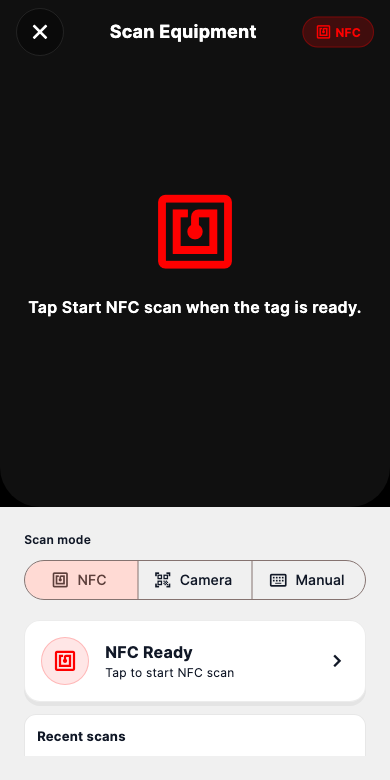
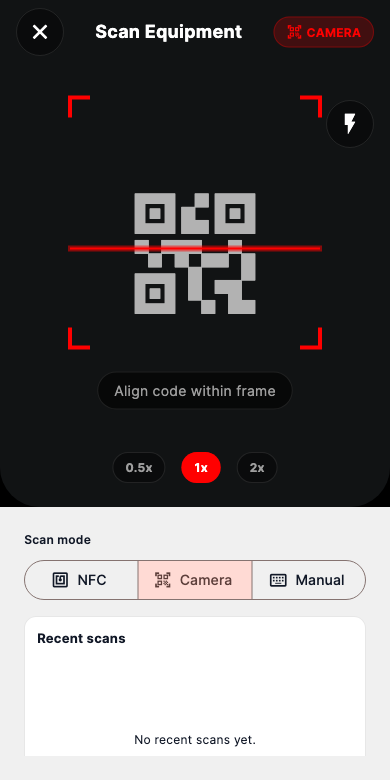
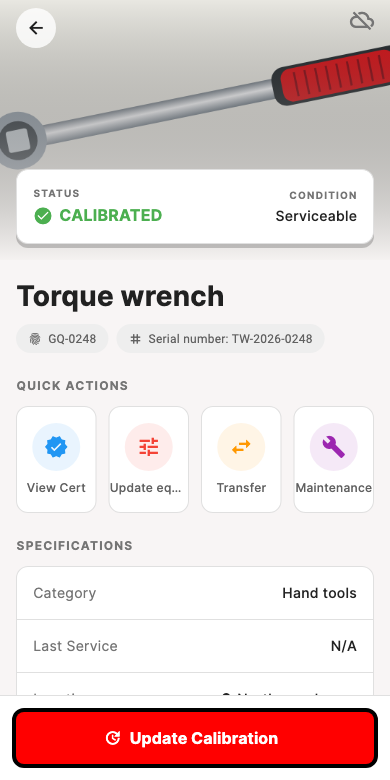
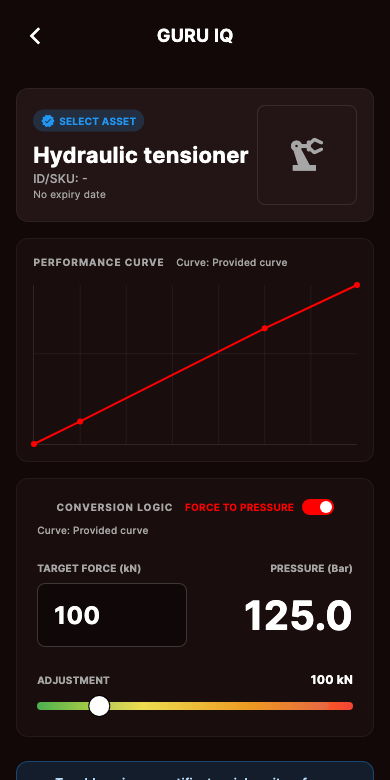
Open the equipment record directly from its NFC tag.
Read the QR code with the camera and open the same asset record.
Serial number, location, custodian and technical details together.
View the equipment’s calibration data and conversion curve.
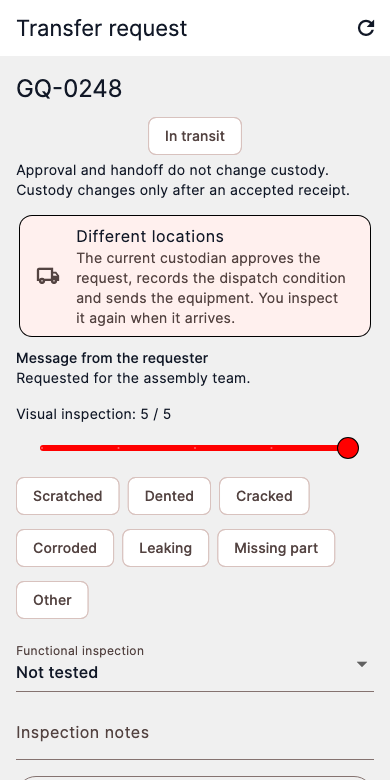
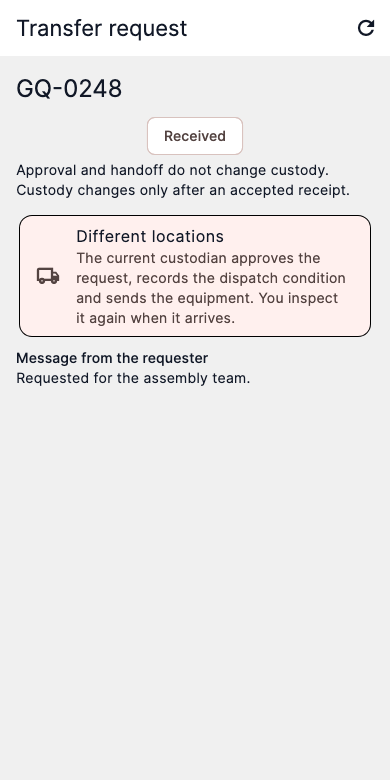
Request, approval and inspection. Custody changes only on accepted receipt.
Keep warehouse, field, handover and maintenance records with the asset.
PHYSICAL EQUIPMENT. DIGITAL IDENTITY.
NFC and QR connect the equipment to its record. Start at the tag and access the right asset’s information, calibration and handover actions in one place.
Bring a compatible phone to the tag. Find the equipment without typing codes or searching through lists.
Point the camera at the label. Identify the equipment through its QR code and work within your access permissions.
Authorized equipment records inside the app; only shared information through an external NFC link.
FROM TAG TO HANDOVER
From equipment identification to accepted receipt, each step shows the responsible person and current status.
Scanning inside the app opens the inventory record you are authorized to see. Visitors outside the app only see information shared publicly.
Appearance and working condition are assessed separately. Responsibility changes only after the receipt is accepted.
Torque wrench · GQ-0248
Faults, notes, and maintenance outcomes stay with the equipment. Open issues can be checked before accepting a handover.
EQUIPMENT HISTORY
People, warehouses, maintenance, and handovers. See where equipment has been and what happened last, in one clear history.
GQ-0248 / Torque wrenchIllustrative equipment history
DETAIL WITHOUT THE NOISE
Filter by status, person, or equipment type. Choose the columns you need. Review calibration and open maintenance together.
| Code | Equipment | Status | Assigned to | Calibration |
|---|---|---|---|---|
| GQ-0248 | Torque wrench | In use | Güray D. | 12 Nov 2026 |
| GQ-0249 | Cordless drill | In use | Ayşen Ö.D. | 12 Nov 2026 |
| GQ-0250 | Digital multimeter | In storage | — | 12 Nov 2026 |
ACCESS AND OPERATION
Sign in to the web application with access provided by your organization. Contact GURU-PMR to arrange access for a new organization. App Store and Google Play links will appear here when published.
A compatible iPhone may read a supported NFC tag while the screen is awake and open public equipment information. A fully powered-off phone cannot scan. Device and operating-system restrictions apply.
Signed-in users open the inventory record they are authorized to access. An NFC link opened outside the app only shows publicly shared, read-only information, without personal contact details.
Supported actions are queued on the device. The server validates them after connectivity returns; some conflicts need review. A pending handover never changes the equipment custodian automatically.
Browser NFC support varies by device and browser; we do not promise NFC scanning on iPhone web browsers. Camera scanning or manual search may be available with appropriate permissions. Use the native iOS app for the NFC workflow.
WORK WITH YOUR TEAM
At your desk or in the field, keep equipment management in one place. Start on the web; coming soon to mobile stores.
Get in touch ↗